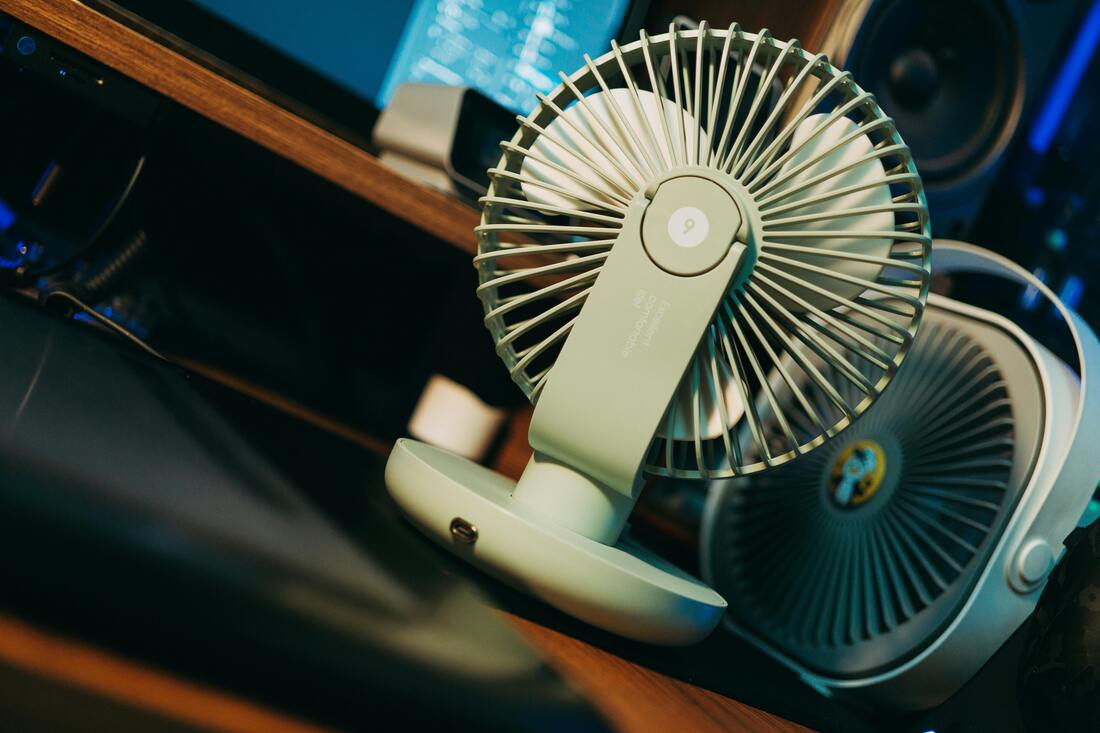
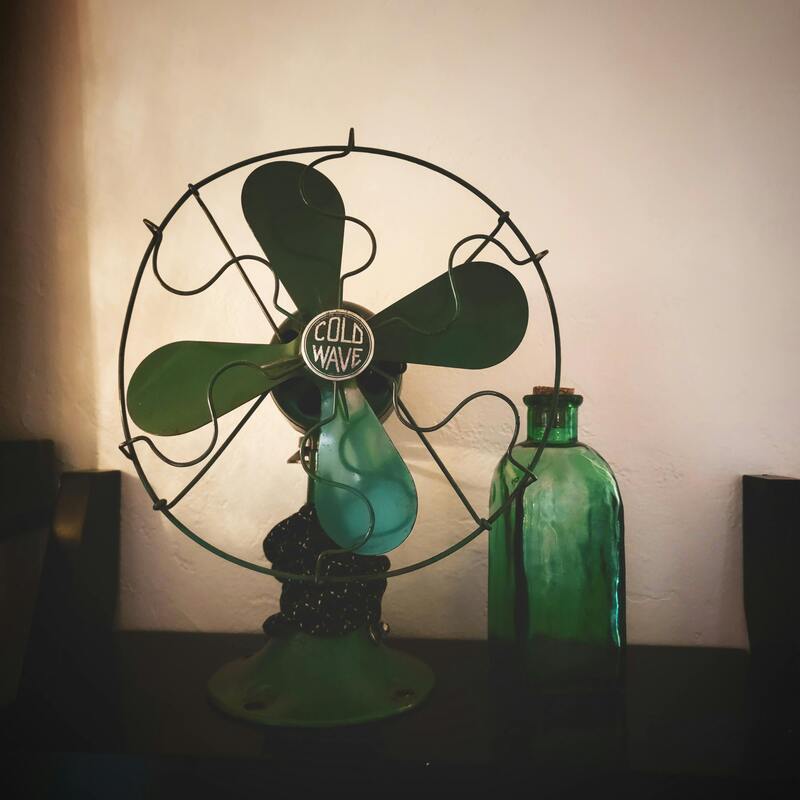

**🌀 1. What's a Table Fan?**
A table fan is just a small electric fan you put on a table or desk to blow air around the room. It helps cool things down and makes you more comfy.
**⚙️ 2. What’s Inside?**
Here's a quick rundown of what makes it tick:
* **Motor:** The electric heart that spins the blades.
* **Blades:** Usually a few plastic or metal ones that push the air.
* **Guard:** The cage thing that keeps you from accidentally touching the blades.
* **Swivel thing:** Makes the fan move from side to side.
* **Base:** Holds the fan upright.
* **Speed knob:** Lets you pick how fast you want it to go (low, medium, and high).
* **Tilt thing:** Lets you point the fan up or down a bit.
* **Cord:** Plugs into the wall.
**⚡ 3. Numbers Stuff**
Here are some typical specs:
* **Power:** About 30–80 Watts
* **Voltage:** Usually 220–240V, but some countries use 110V
* **Speed:** Spins around 1200–2000 times a minute
* **Air:** Moves about 50–90 cubic meters of air each minute
* **Blade size:** From about 8 inches to 16 inches across
* **Volume:** Makes about as much noise as a quiet conversation (45–65 dB)
* **Weight:** A few pounds
* **Stuff:** Usually made of plastic, metal, or both
**🔌 4. How It Works**
Basically:
1. Plug it in and turn it on. Power goes to the motor.
2. The motor spins the blades.
3. The blades push air forward.
4. If it's on, the swivel gizmo moves the fan back and forth.
5. You get air movement, which cools you down.
**🧠 5. Types**
* **Regular:** Your basic fan.
* **Rechargeable:** Runs on a battery, so you can use it even without a plug.
* **Remote:** You can control it with a remote.
* **Misting:** Sprays a little mist of water for extra cooling.
* **USB:** Small fan that plugs into your computer.
**🧽 6. Keeping It Clean**
* Unplug it first!
* Take off the front cover.
* Wipe the blades and cover with a cloth. Maybe use a little soap if it's really dirty.
* If it's noisy, try oiling the moving parts.
* Don't get water on the motor.
* Dust it now and then.
**⚠️ 7. What If It Breaks?**
* **Won't start:** Check the plug and fuse. It might be the motor.
* **Noisy:** Might be dusty or need oil. Check for loose parts.
* **Won't swivel:** The swivel thing might be broken
* **Weak air:** Could be dusty or not getting enough power.
* **Overheats:** Give it a break or make sure it's not blocked.
**💡 8. Be Safe!**
* Unplug it before you clean it or move it.
* Keep it away from kids and pets.
* Don't use it with wet hands or near water.
* Don't cover it up when it's on.
* Put it on a flat surface so it doesn't fall over.
**🌿 9. Save Energy**
* Use the medium speed.
* Put it near a window.
* Clean the blades.
* Turn it off when you don't need it.
**🔧 10. How Long It Lasts and What It Costs**
* Life expectancy: About 3–7 years if you take care of it.
* Cost:
* Basic: $10–$25
* Fancy (rechargeable, remote): $25–$60
A table fan is just a small electric fan you put on a table or desk to blow air around the room. It helps cool things down and makes you more comfy.
**⚙️ 2. What’s Inside?**
Here's a quick rundown of what makes it tick:
* **Motor:** The electric heart that spins the blades.
* **Blades:** Usually a few plastic or metal ones that push the air.
* **Guard:** The cage thing that keeps you from accidentally touching the blades.
* **Swivel thing:** Makes the fan move from side to side.
* **Base:** Holds the fan upright.
* **Speed knob:** Lets you pick how fast you want it to go (low, medium, and high).
* **Tilt thing:** Lets you point the fan up or down a bit.
* **Cord:** Plugs into the wall.
**⚡ 3. Numbers Stuff**
Here are some typical specs:
* **Power:** About 30–80 Watts
* **Voltage:** Usually 220–240V, but some countries use 110V
* **Speed:** Spins around 1200–2000 times a minute
* **Air:** Moves about 50–90 cubic meters of air each minute
* **Blade size:** From about 8 inches to 16 inches across
* **Volume:** Makes about as much noise as a quiet conversation (45–65 dB)
* **Weight:** A few pounds
* **Stuff:** Usually made of plastic, metal, or both
**🔌 4. How It Works**
Basically:
1. Plug it in and turn it on. Power goes to the motor.
2. The motor spins the blades.
3. The blades push air forward.
4. If it's on, the swivel gizmo moves the fan back and forth.
5. You get air movement, which cools you down.
**🧠 5. Types**
* **Regular:** Your basic fan.
* **Rechargeable:** Runs on a battery, so you can use it even without a plug.
* **Remote:** You can control it with a remote.
* **Misting:** Sprays a little mist of water for extra cooling.
* **USB:** Small fan that plugs into your computer.
**🧽 6. Keeping It Clean**
* Unplug it first!
* Take off the front cover.
* Wipe the blades and cover with a cloth. Maybe use a little soap if it's really dirty.
* If it's noisy, try oiling the moving parts.
* Don't get water on the motor.
* Dust it now and then.
**⚠️ 7. What If It Breaks?**
* **Won't start:** Check the plug and fuse. It might be the motor.
* **Noisy:** Might be dusty or need oil. Check for loose parts.
* **Won't swivel:** The swivel thing might be broken
* **Weak air:** Could be dusty or not getting enough power.
* **Overheats:** Give it a break or make sure it's not blocked.
**💡 8. Be Safe!**
* Unplug it before you clean it or move it.
* Keep it away from kids and pets.
* Don't use it with wet hands or near water.
* Don't cover it up when it's on.
* Put it on a flat surface so it doesn't fall over.
**🌿 9. Save Energy**
* Use the medium speed.
* Put it near a window.
* Clean the blades.
* Turn it off when you don't need it.
**🔧 10. How Long It Lasts and What It Costs**
* Life expectancy: About 3–7 years if you take care of it.
* Cost:
* Basic: $10–$25
* Fancy (rechargeable, remote): $25–$60